


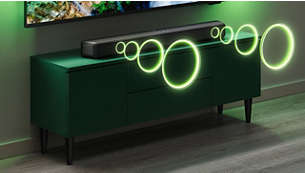
Simply better TV sound
This soundbar's 2.0 channels and immersive audio technology bring new levels of sound to everything you love. Four EQ modes let you pick a sound style to suit what you're watching, and you can make voices clearer in any mode by activating Dialogue Enhancement.
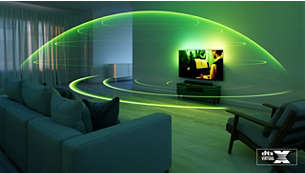
DTS Virtual:X for immersive 3D sound in any room
Compatibility with DTS Virtual:X transforms your TV sound, bringing you a virtual 3D sound experience no matter what's on screen! You don't need extra speakers, and it works in any room: turn it on via the soundbar's remote control or the Philips Home Entertainment app.

Dolby Digital Plus. Cinematic sound at home
Enjoy a front-row seat for all of the dramas you watch and play. This Dolby Digital Plus-compatible soundbar gives you a surround-sound experience without the need for extra speakers. You'll hear, and feel, the difference.
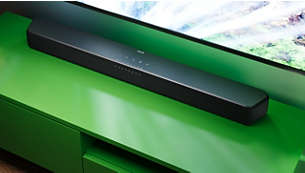
Looks great, and it's easy to place
This sleek soundbar looks great in any room. Got your TV on the wall? You can also wall-mount this soundbar using the detachable brackets (included).
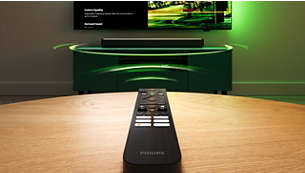
Control your soundbar and TV with a single remote
You can adjust the volume on your soundbar using your TV remote. If you have a Philips Ambilight TV, the EasyLINK function lets you use the remote to switch between the soundbar's preset EQ modes, adjust bass and treble—and more.
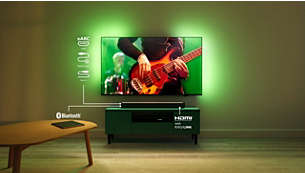
Connect your favourite sources for bigger sound
Compatibility with Bluetooth LE Audio gives you a steadier connection, better sound and less lag if you're streaming playlists from a smart device that is also compatible with Bluetooth LE Audio. You can also connect audio sources to the soundbar via audio-in, USB or optical input.
Philips Home Entertainment app
Download the app and you can use your smart device to switch between the EQ sound modes, select source, activate virtual surround sound and more.